

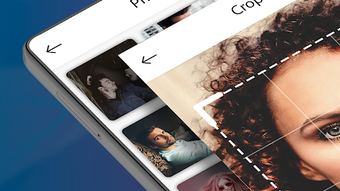
Description
Download Add Face to Video Face Changer Video APK – Face Swap, Video Montage, Funny Clips, Android App, Free Download
Overview
Developed by B Town, Add Face to Video is a free Android multimedia application designed to simplify the process of face swapping in videos. The app enables users to insert their own face—or any chosen face—into pre-selected video templates with minimal effort. Its primary function revolves around transforming ordinary video clips into entertaining, shareable content by replacing or overlaying faces using a single tap. This makes it ideal for casual users, social media creators, pranksters, and individuals seeking quick, fun ways to generate humorous videos for entertainment or online engagement.
The app supports both photo import from the device’s gallery and real-time capture via the camera, allowing users to customize their appearance before applying it to video templates. Users can select from a variety of templates featuring famous scenes or viral video formats, enabling seamless face integration. The software also includes stylistic enhancements such as animated sunglasses, hats, and mouth effects, which can be applied to further personalize the final output. These features are intended to help users emulate celebrity appearances or create exaggerated, comical visuals.
While the developer did not provide detailed information on system requirements or platform compatibility beyond Android, the app is marketed as widely compatible with most Android devices. It supports a broad range of video formats, which enhances accessibility for users with diverse media libraries. The application is positioned as a lightweight, user-friendly tool for content creation, particularly suited for short-form video platforms and social media sharing.
Key Features & Capabilities
- Face Swap Integration: Allows users to insert their face or a selected image into pre-made video templates with one tap.
- Photo Import & Capture: Supports importing images from the device gallery or capturing new photos directly through the app’s built-in camera.
- Video Template Library: Offers a variety of popular and viral video templates for instant face replacement and entertainment purposes.
- Stylistic Filters & Effects: Includes animated accessories like sunglasses, hats, and mouth animations to enhance visual appeal and realism.
- Format Compatibility: Supports multiple video formats, ensuring broad usability across different media sources.
- Quick Video Creation: Enables users to generate shareable clips in minutes without requiring advanced editing skills.
These capabilities are particularly useful for creating social media content, organizing pranks, or producing humorous video montages for personal or group entertainment. For example, a user could insert their face into a famous movie scene or a viral dance trend, then apply animated sunglasses to create a comedic effect. The app’s automation reduces manual editing steps, making it accessible even to non-technical users. The focus on speed, simplicity, and fun-oriented outcomes aligns with current trends in mobile content creation.
User Interface, Workflow & Performance
The user interface of Add Face to Video appears to be designed with simplicity and accessibility in mind. Navigation is likely structured around a clean, intuitive layout that guides users through the face-swapping process in a step-by-step manner. Key actions—such as selecting a photo, choosing a video template, and applying effects—are probably organized into clearly labeled sections to minimize confusion.
Workflow efficiency is a core strength, with the app aiming to complete the face swap process in minimal time. Users can expect a streamlined sequence: upload or capture a face image → select a template → apply optional effects → generate and export the final video. This design prioritizes ease of use, reducing the learning curve for first-time users.
Performance observations are based on general software behavior patterns. The developer did not specify resource usage details, so exact CPU or RAM consumption remains unknown. However, as a mobile application optimized for Android devices, it likely operates efficiently within standard mobile performance parameters. Stability during video processing and rendering has not been independently verified, but the app’s free status and focus on lightweight functionality suggest it is designed to run smoothly on mid-range devices.
Compatibility & System Requirements
Add Face to Video is designed for Android operating systems and is available as an APK file for direct installation. The app is compatible with most Android devices, though the developer did not provide specific version requirements or hardware specifications. This implies broad compatibility across a range of Android smartphones and tablets, particularly those supporting modern multimedia processing.
The installation size is not specified, but given the nature of video editing tools, it likely occupies a moderate amount of storage space. The app supports a wide range of video formats, which increases its utility for users with diverse media libraries. However, exact system requirements were not listed, so users should ensure their device meets general Android standards for running multimedia applications.
Pros and Cons
Pros
- Free to download and use with no in-app purchase barriers
- Simple, intuitive interface suitable for beginners
- Fast face swap process with minimal user input
- Supports multiple video formats and image sources
- Offers fun, shareable content creation for social media
- Includes animated accessories for enhanced visual effects
Cons
- Exact system requirements and performance data not provided
- Limited customization options for advanced users
- Dependent on pre-made templates, reducing creative flexibility
- No information on cloud sync or backup features
- May require internet access for template updates or ads
FAQ Section
Is Add Face to Video compatible with all Android devices?
The app is designed to work with most Android devices, but specific compatibility details were not provided by the developer. Users should ensure their device runs a supported Android version and has sufficient storage and processing power for video editing tasks.
Is the app safe to download and install?
Add Face to Video is available as a free APK from third-party sources. While the developer, B Town, is listed as the publisher, users should download from trusted platforms to avoid potential security risks. Always scan APK files with antivirus software before installation.
Does the app require an internet connection?
Basic functionality can be used offline, such as editing locally stored videos. However, some features like template updates or access to online content may require an internet connection.
Can I use my own video clips as templates?
The app allows users to import their own video clips, but the primary focus is on using pre-made templates. There is no information on whether users can create or save custom templates.
Is there a license or subscription required?
Add Face to Video is offered as a free application with no mention of subscription plans or paid features. However, the app may include advertisements, which could affect the user experience.
Final Thoughts + CTA
Add Face to Video stands out as a lightweight, entertaining Android tool that empowers users to create humorous, shareable content with minimal effort. Its core strength lies in simplifying face swapping through intuitive design and automated processing, making it ideal for casual creators, social media enthusiasts, and those looking to produce fun videos for friends and family. While it lacks advanced editing capabilities and detailed technical specifications, its accessibility and focus on entertainment deliver strong value for its intended audience.
For users seeking a quick, free way to add faces to videos and generate viral-style clips, this app offers a compelling solution. The combination of pre-made templates, animated effects, and easy export options makes it well-suited for content creation on platforms like TikTok, Instagram, and YouTube Shorts. Despite limited transparency around system requirements and performance, the app’s free nature and ease of use justify its appeal.
Download Add Face to Video now and start creating hilarious face swap videos in minutes.
Guides & Tutorials for Add Face to Video Face Changer Video APK
How to install Add Face to Video Face Changer Video APK
- Click the Preview / Download button above.
- Once redirected, accept the terms and click Install.
- Wait for the Add Face to Video Face Changer Video APK download to finish on your device.
How to use Add Face to Video Face Changer Video APK
This software is primarily used for its core features described above. Open the app after installation to explore its capabilities.
User Reviews for Add Face to Video Face Changer Video APK 0
No reviews found





